That’s expected for completed reviews: after approval and processing, the conversation is closed. Start a new conversation for anything new.
Conversations with your accountant
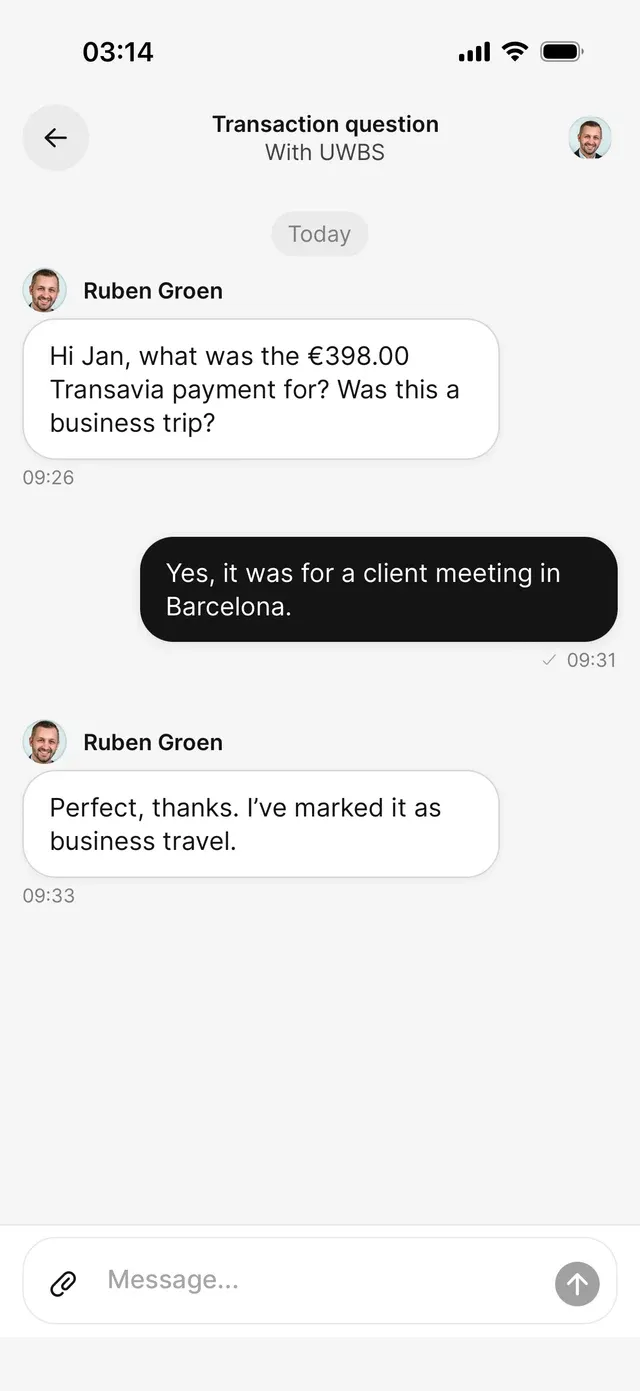
Answer questions about a transaction, or start a conversation of your own — everything runs through your Inbox.
Open the conversation from your Inbox, type your reply at the bottom, and send. Most of what your accountant asks is short: what a payment was for, or whether a receipt exists. Your answer gives them the context to update the booking.
Starting a conversation yourself
Tap New chat at the top right of your Inbox. A title is optional — AirBill generates one from your message if you leave it empty. Type your question and choose Start conversation. It appears in your accountant’s portal.
New chat only shows once an accountant is connected to your administration.
Sending a document
You can’t attach files to a message in an accountant conversation. Add the document to AirBill the normal way — camera, photos, files, or your AirBill email address (see Add a receipt or invoice) — and reply that it’s in. Your accountant works in the same administration and will find it there.
Common problems
You can't reply in a task conversation anymore
You're not sure whether your accountant saw it
Messages land in their portal as you send them. If something is urgent, say so in the message — AirBill doesn’t have a separate priority flag.
Related articles
Can't find what you're looking for? Send us a message and we'll help you personally.
Contact support