Your accountant invited you to AirBill.
AirBill brings your receipts, invoices, bank transactions and conversations with your accountant into one simple app.
Free for you. Your accountant takes care of the subscription.
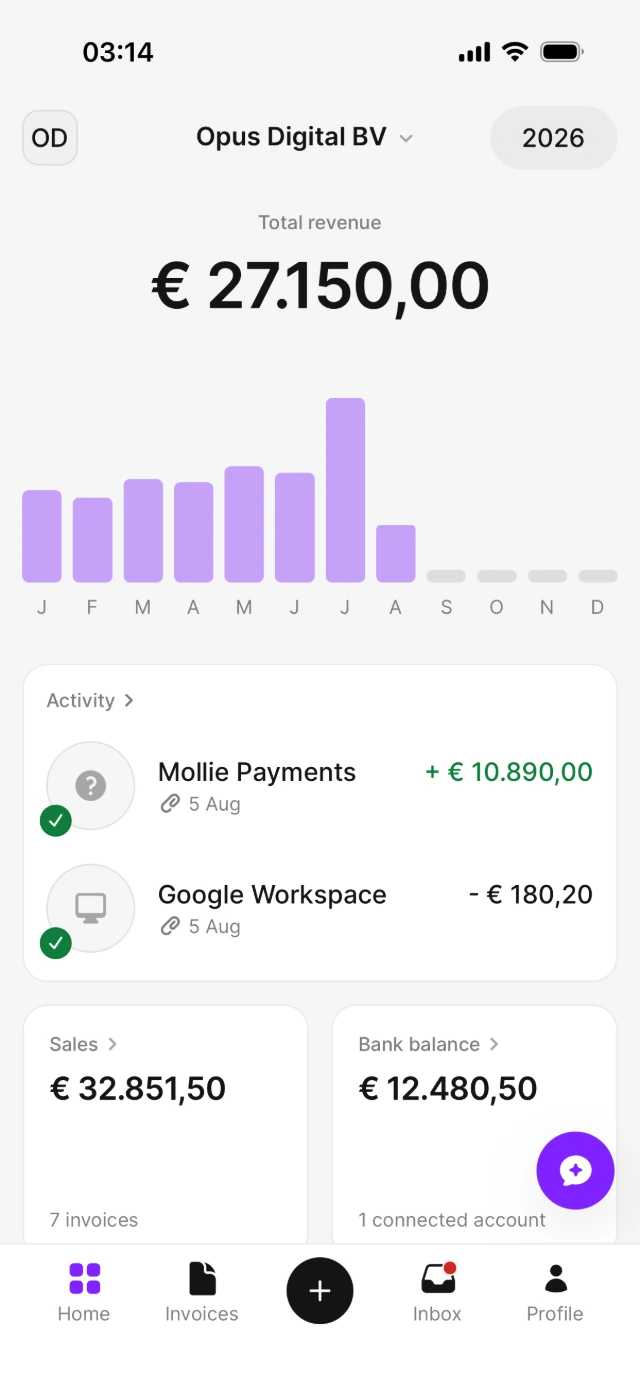

Less bookkeeping. Better collaboration.
You handle the simple day-to-day actions. AirBill organises the repetitive work. Your accountant reviews and completes your administration.
You
- Add missing receipts
- Answer occasional questions
- Review important reports
AirBill
- Collects and reads documents
- Matches documents with transactions
- Keeps everything organised
Your accountant
- Reviews your administration
- Resolves accounting questions
- Handles reports and tax filings
One app for receipts, invoices and your accountant.
Capture every document
Camera, Photos, Files or your AirBill email — every receipt and purchase invoice finds its way in.
Automatic matching
AirBill reads your documents and connects them to the corresponding bank transactions.
Work with your accountant
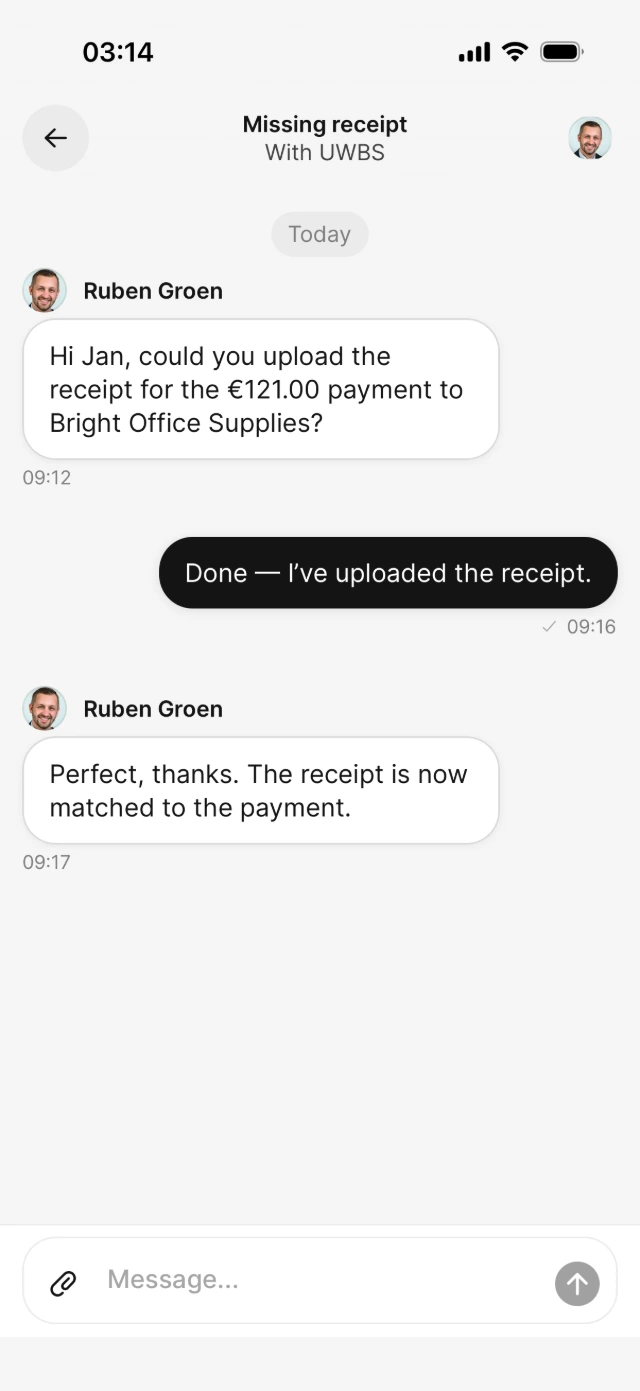
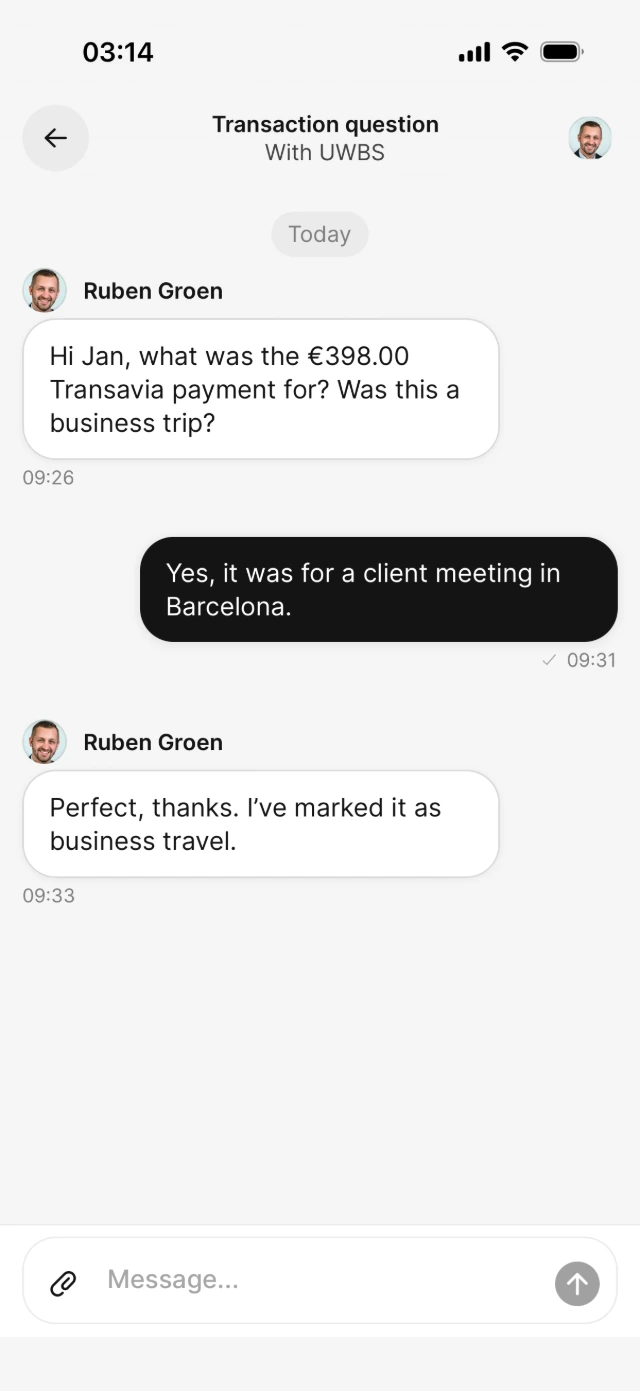
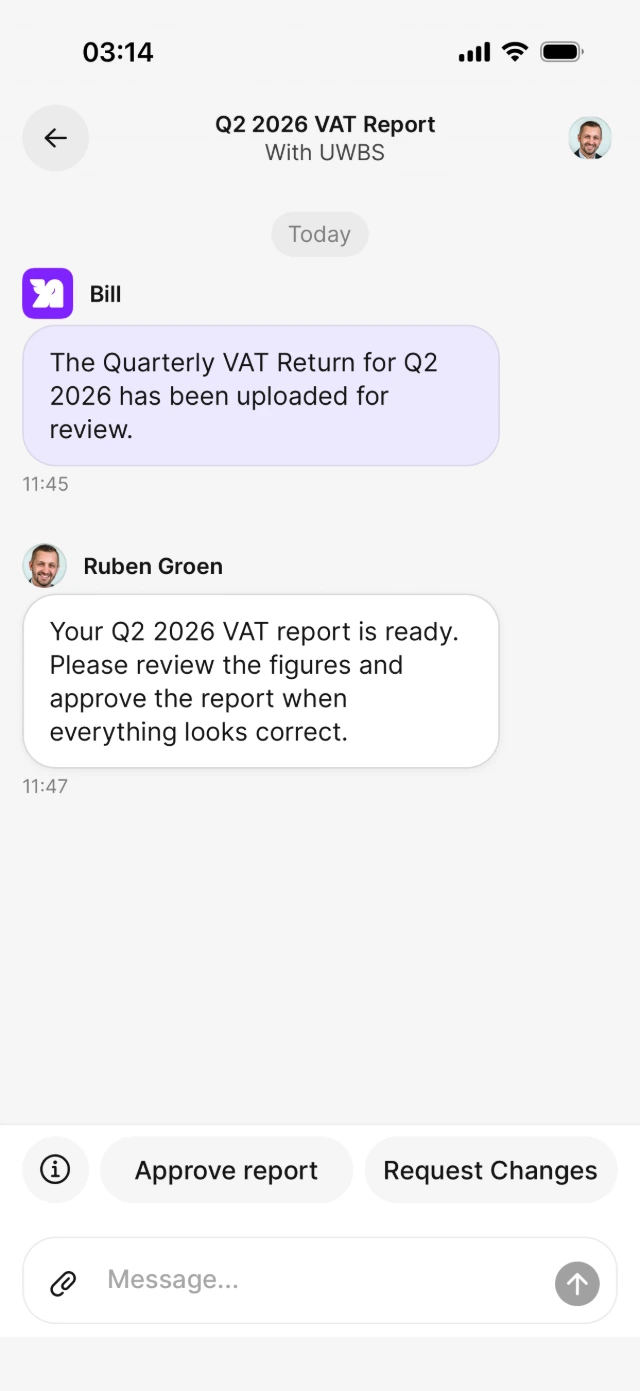
Resolve questions, missing receipts and VAT reviews directly in context.
Create and track invoices
Create, send and follow open, paid and overdue invoices — including recurring schedules.
Your accountant has already started the setup.
Your accountant can prepare your company details before inviting you. Open the invitation, confirm that everything is correct and choose which sources you want to connect.
- 1 Open your personal invitation
- 2 Sign in and confirm your company
- 3 Connect your bank or AirBill email
Prefer to do this later? You can complete connections at any time.
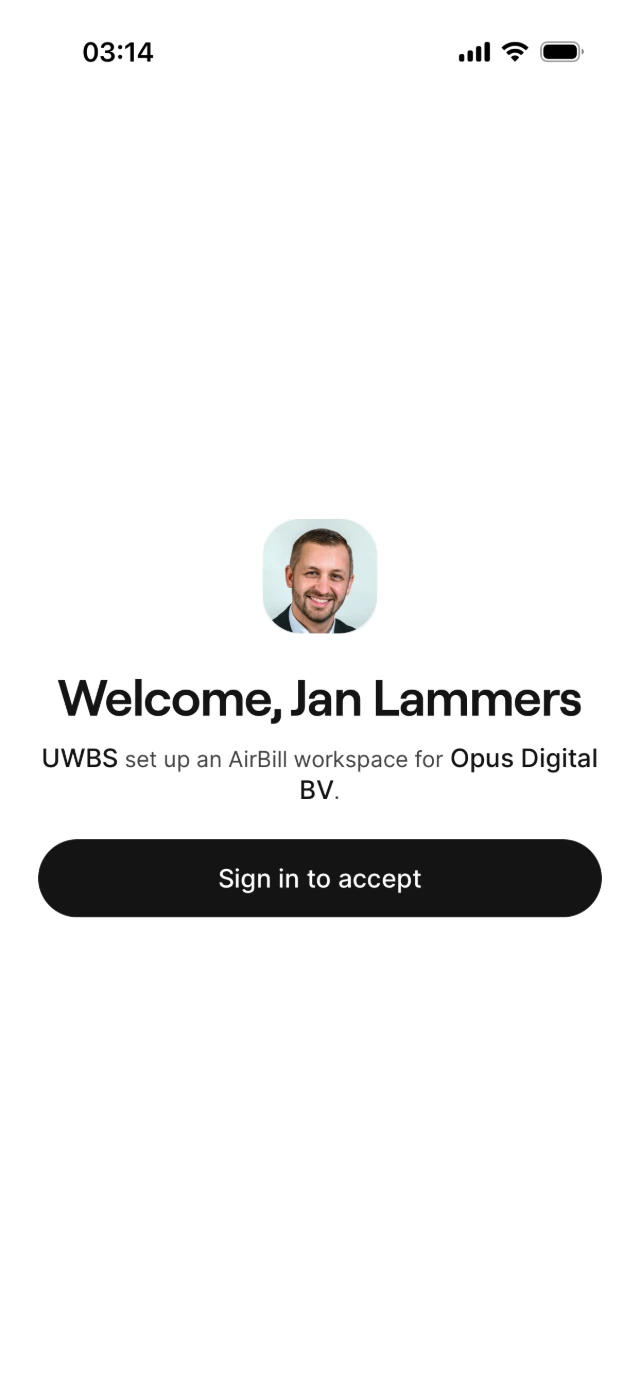
Three steps and you're in.
After accepting the invitation, AirBill walks you through a short setup chat. In the example: Ruben Groen at UWBS already prefilled the details for Jan Lammers' company, Opus Digital BV.
-
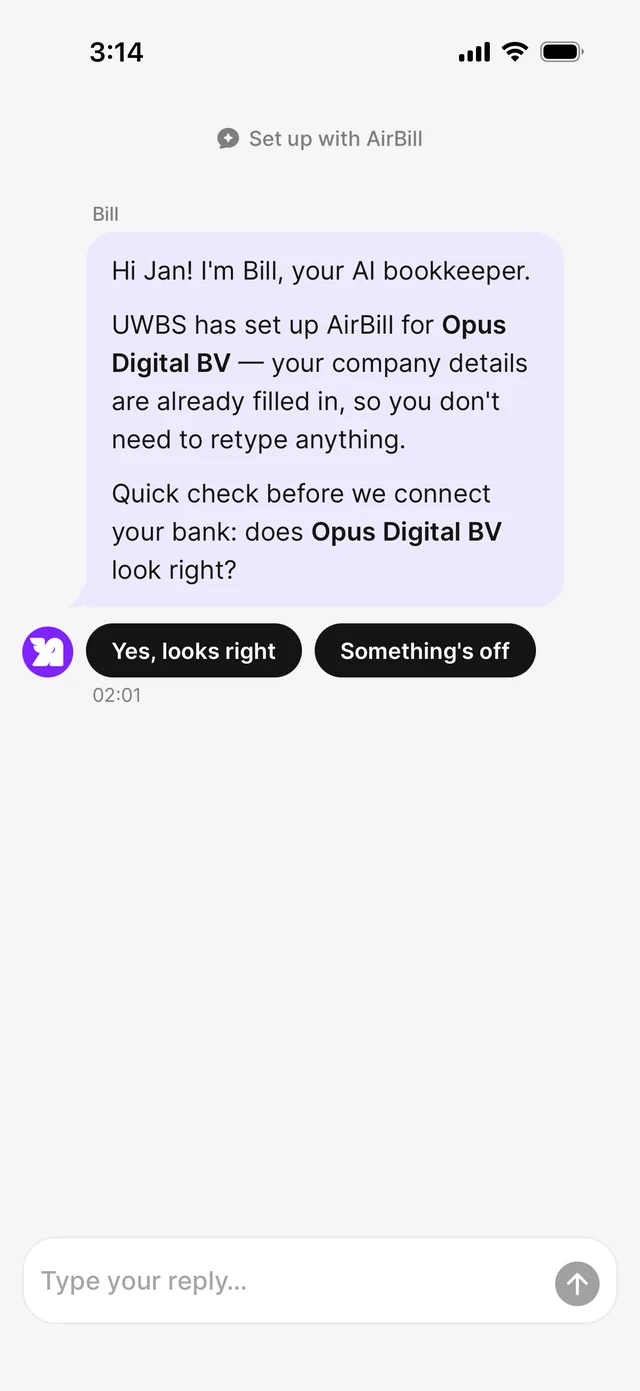 1 Confirm your company details
Your accountant already entered them — just check that everything is correct.
-
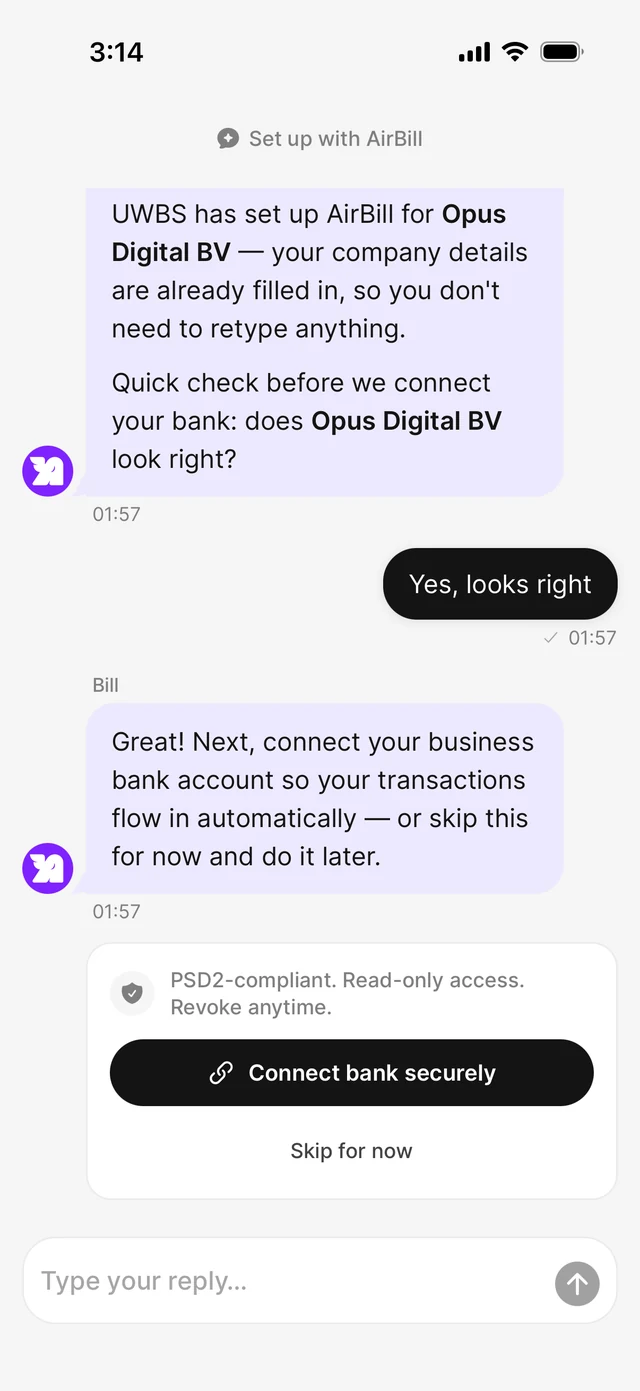 2 Connect your bank — or skip
Link your business account so transactions flow in automatically. Select only this administration's accounts, not private ones or other businesses.
-
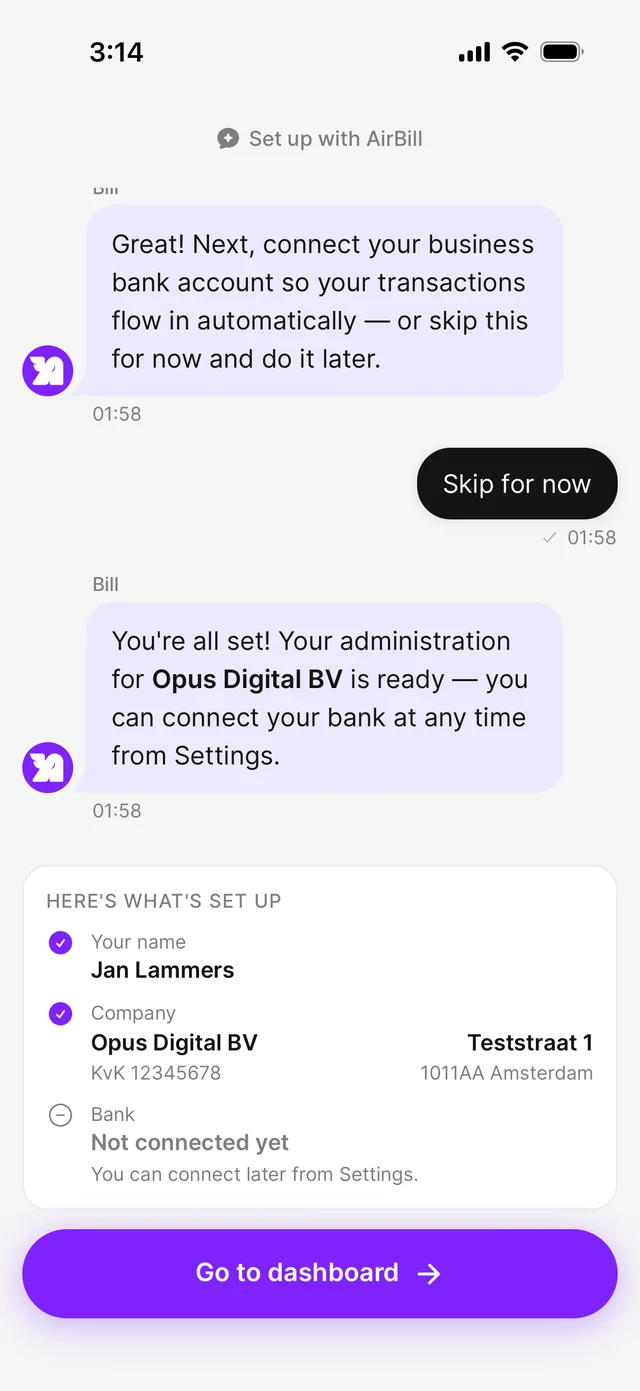 3 Finish and open your dashboard
That's it — your administration is ready and you land on your dashboard.
Navigate AirBill
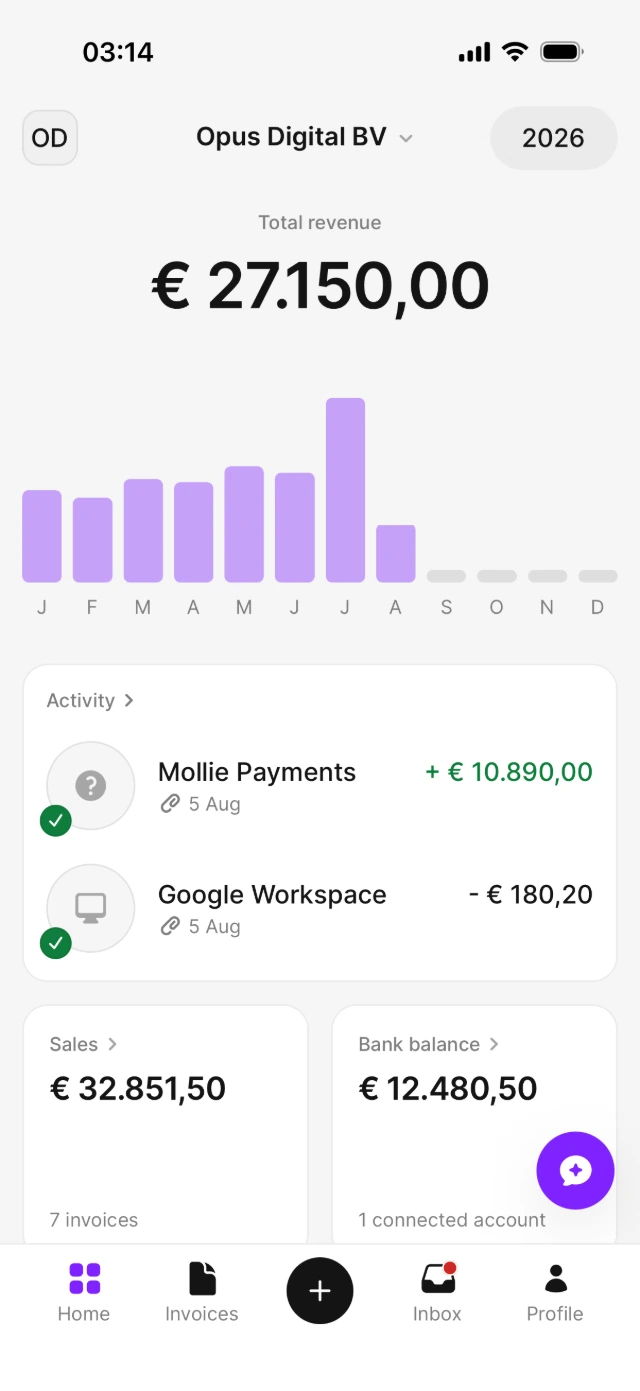
After completing the invitation, tap “Go to dashboard.” From there, the navigation bar gives you access to everything you need.
Home
See your financial overview at a glance — and jump straight to your sales, bank balance and recent activity.
Ask Bill
Tap the floating AirBill button to open the chat and ask questions about your business.
Add (+)
Photograph or upload receipts, purchase invoices and other documents.
Invoices
Create, send and track your sales invoices.
Inbox
See questions, tasks and reports shared by your accountant.
Profile
From Profile, you can manage your bank and email connections, company details and notifications.
-
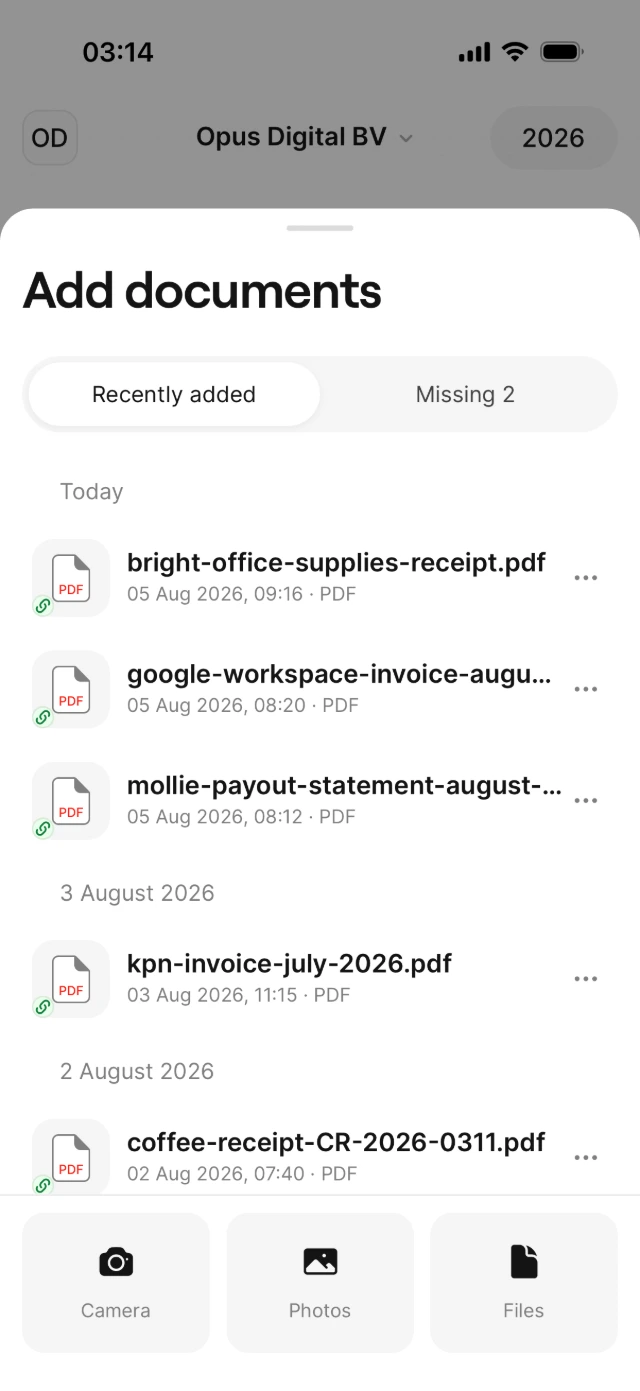 Add Documents
Camera, Photos or Files — every receipt finds its transaction.
-
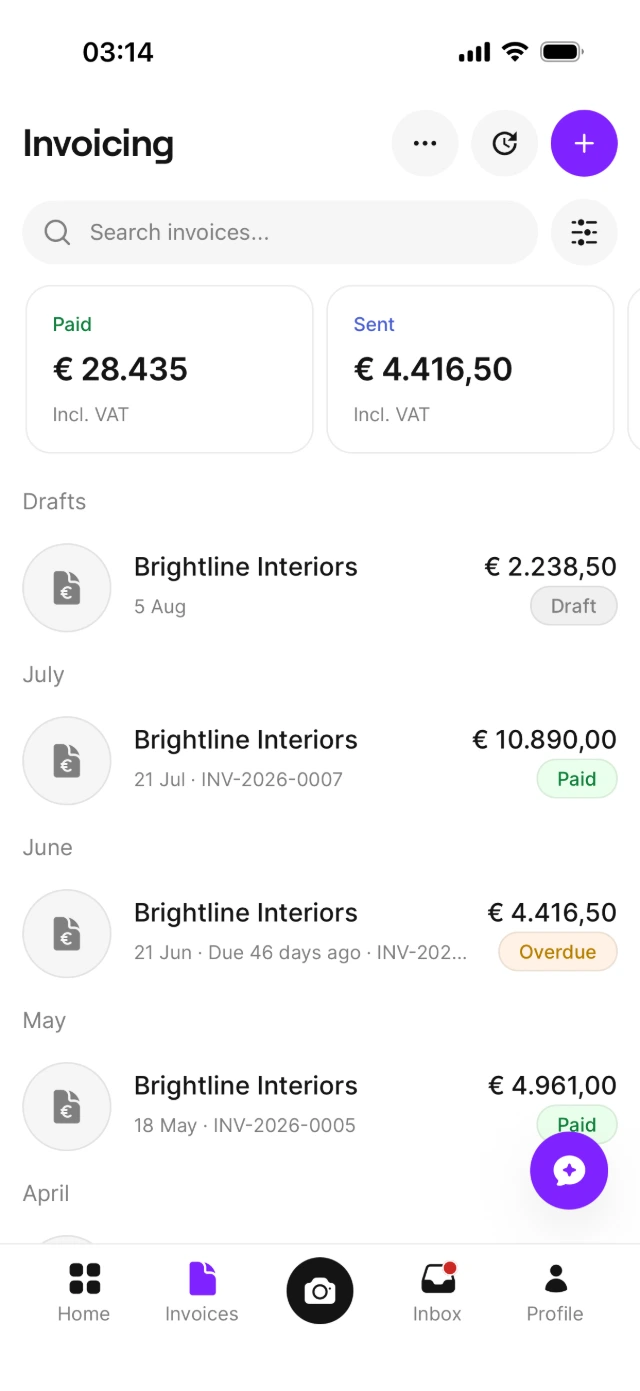 Invoices & Schedules
Track paid, sent and overdue invoices — and manage your recurring schedules.
-
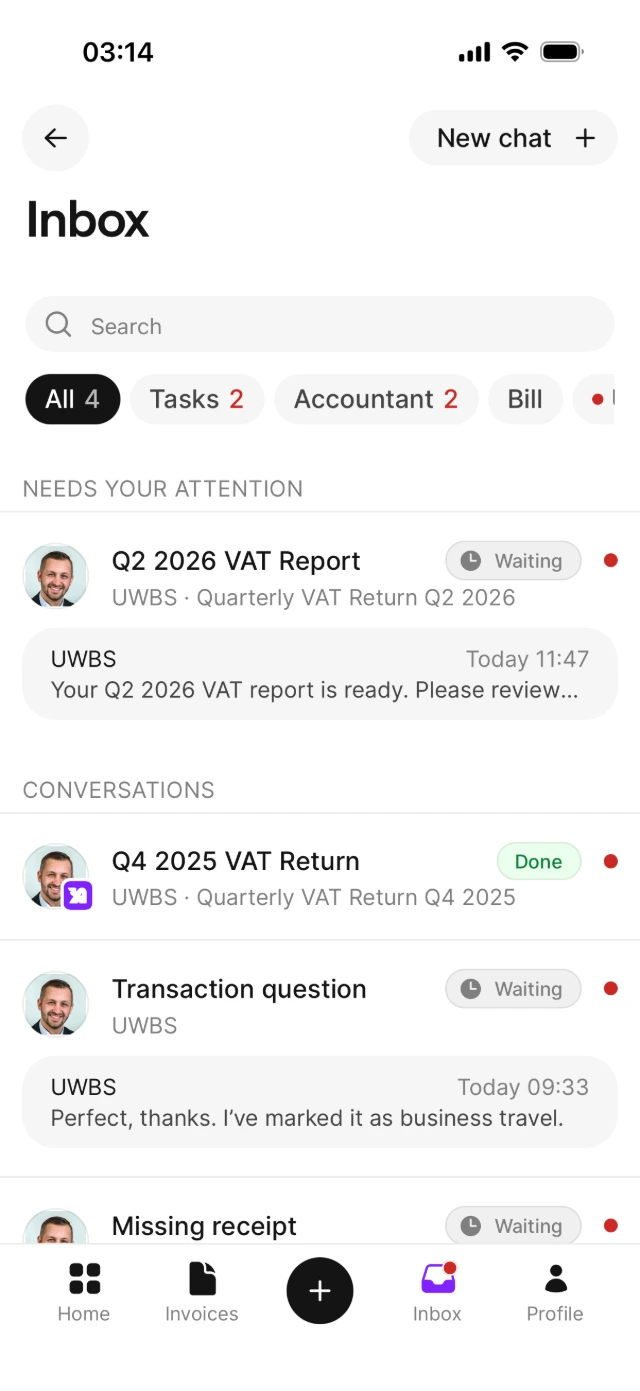 Inbox
InboxQuestions, tasks and VAT reports from your accountant.
-
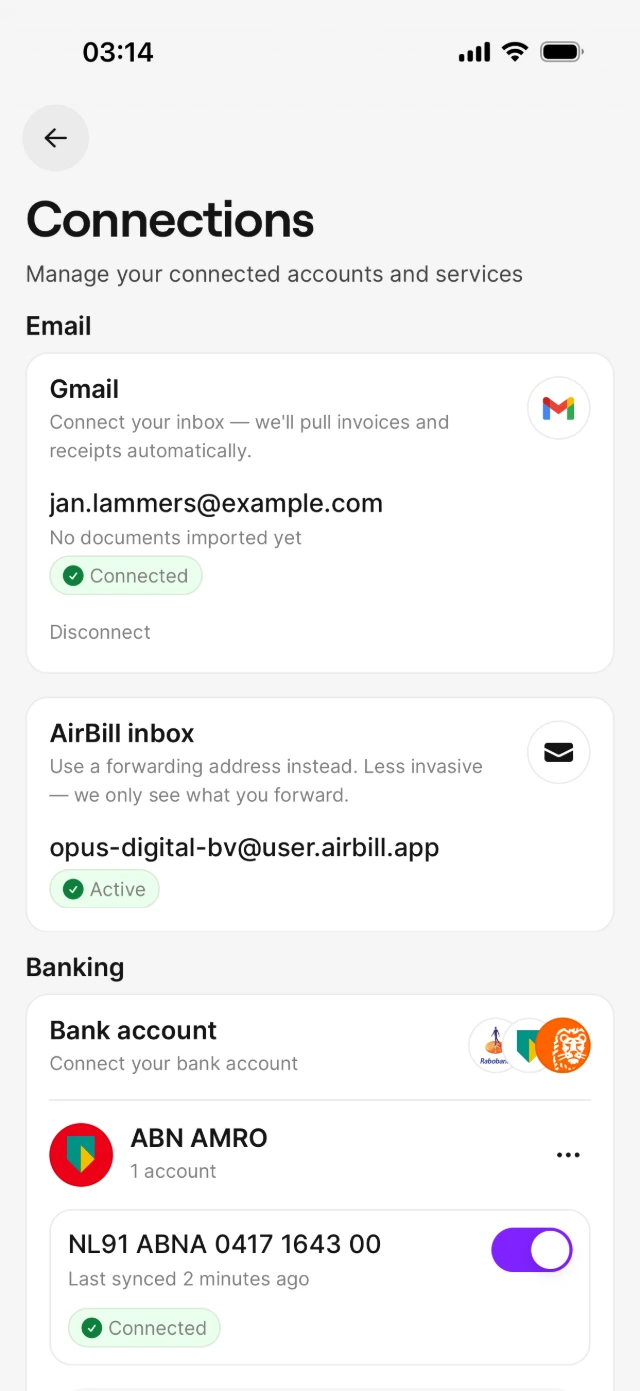 Manage Connections
Manage your connections in one place. Add only this business's accounts here.
Upload a receipt, AirBill does the rest.
Photograph or pick a receipt and AirBill reads it, books it and matches it to the right bank transaction — automatically.
-
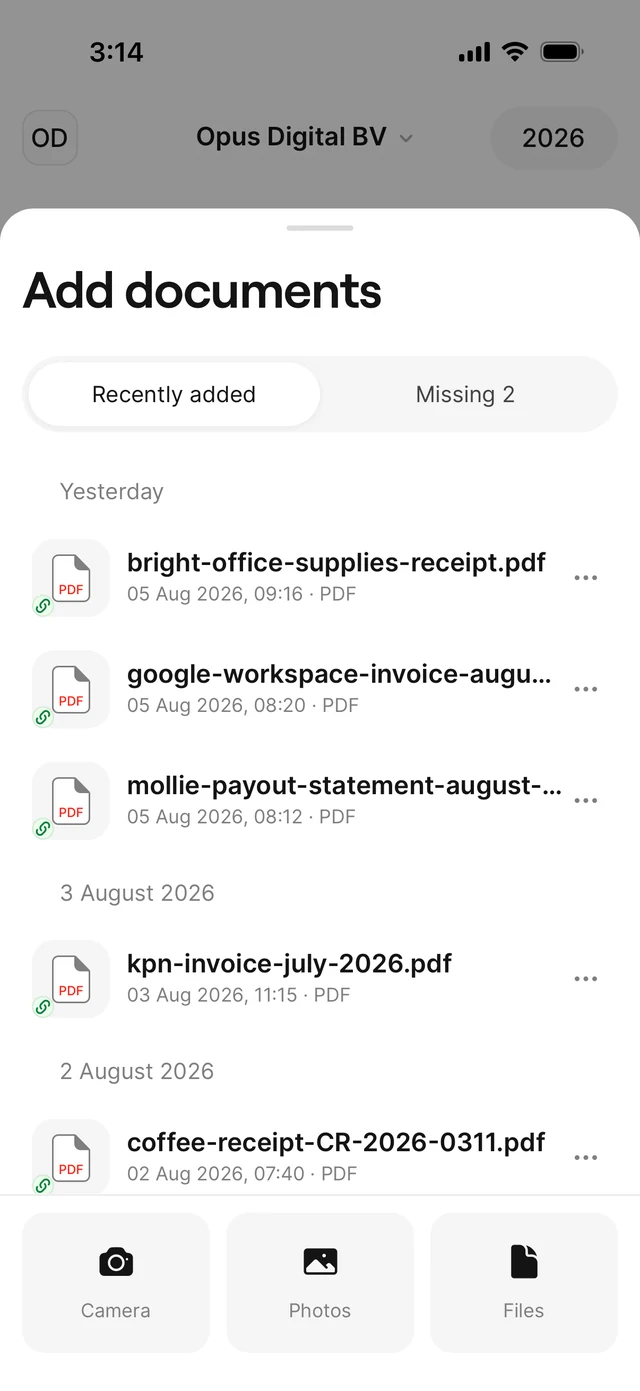 1 Open Add Documents
Tap the plus button — camera, photo library or files, whatever is quickest.
-
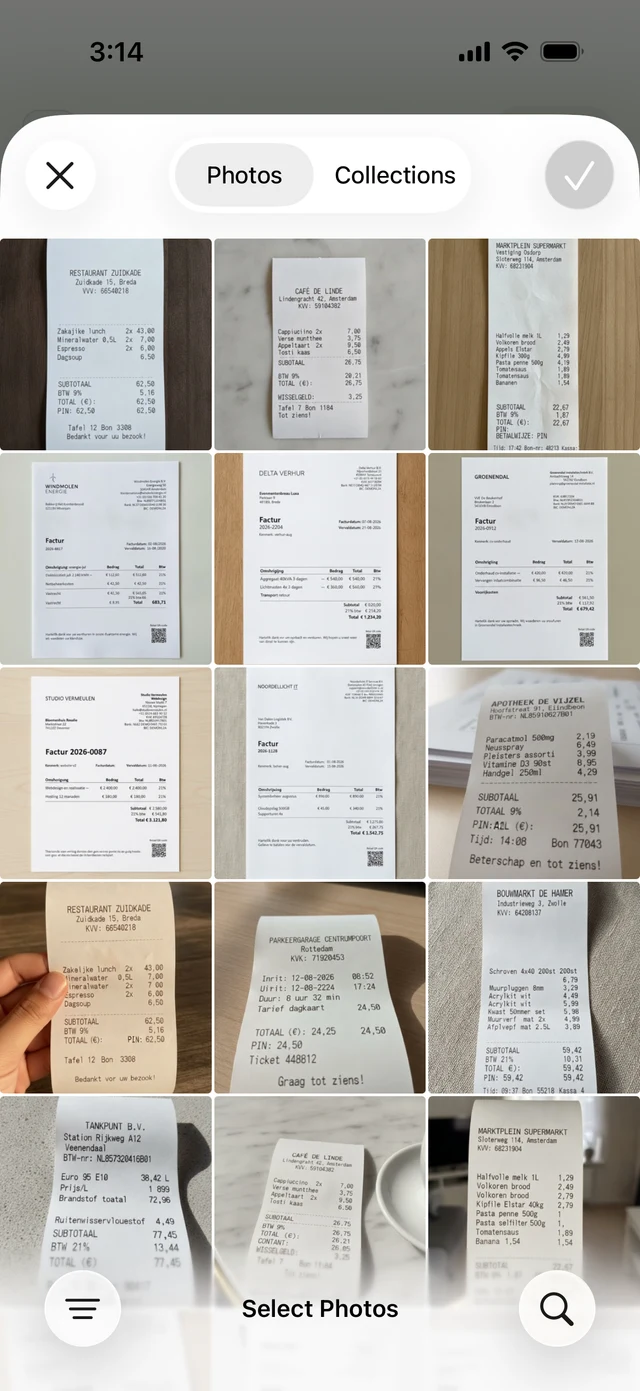 2 Choose a receipt from Photos
Pick the receipt photo; a snapshot from your camera roll is all AirBill needs.
-
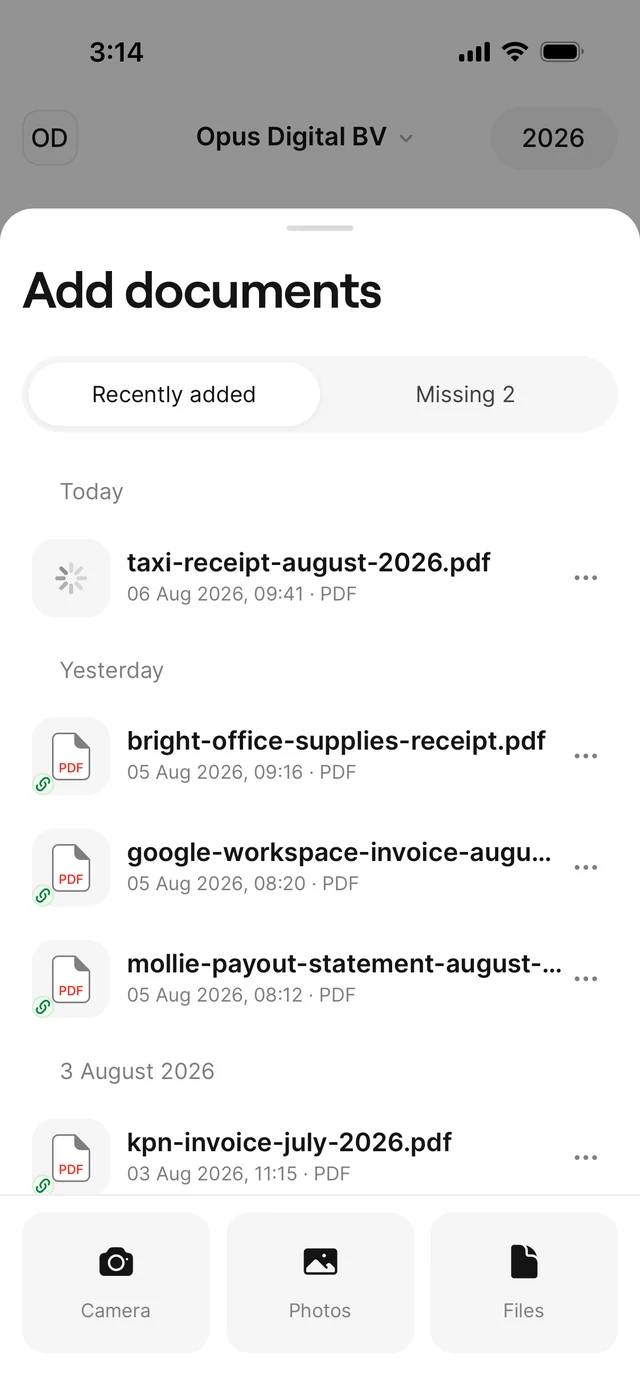 3 Upload and process
AirBill reads the supplier, date, amounts and VAT from the receipt for you.
-
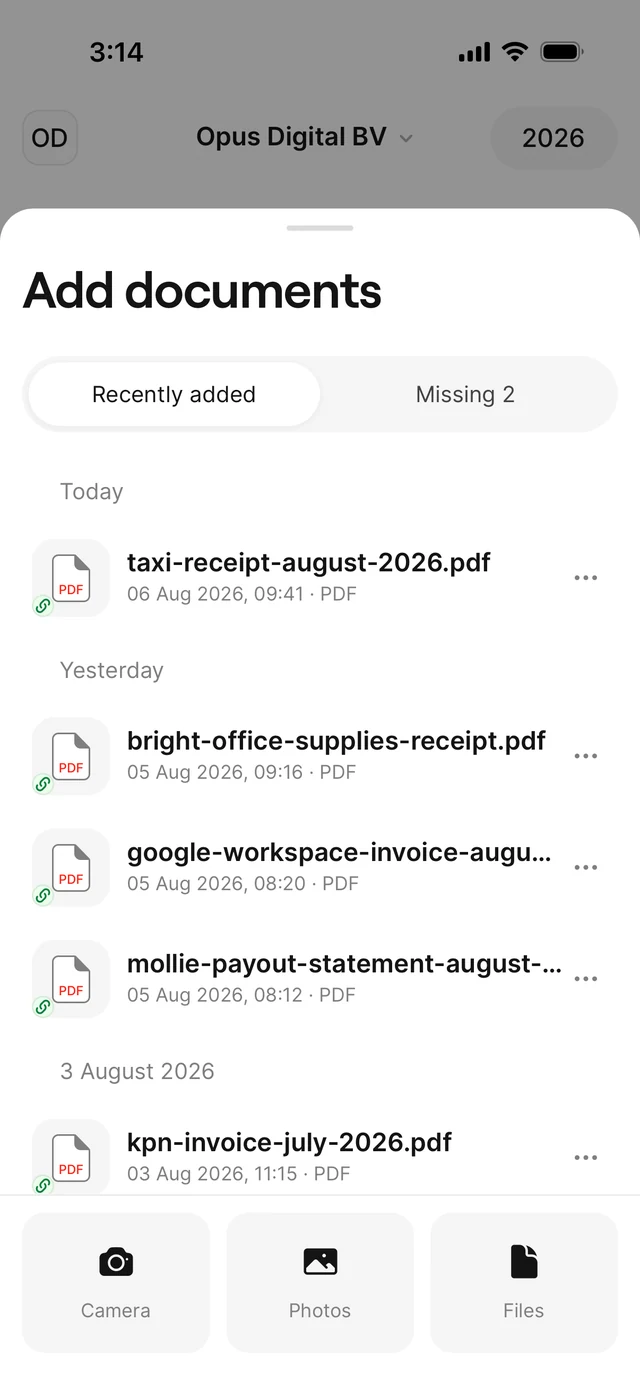 4 Matched to the payment
The receipt is linked to the matching bank transaction — your books stay complete on their own.
Invoices by email? Also automatic.
Purchase invoices can also arrive through your personal AirBill email address or a connected email account — AirBill picks them up and processes them the same way.
Get answers without digging through your records.
Ask Bill about purchases, customers, invoices or cash flow. It searches your AirBill administration and replies in seconds.
Bill answers questions about your data. Personal accounting advice still comes from your accountant.
Create and send an invoice.
From customer to sent confirmation in a minute — AirBill numbers the invoice, calculates VAT and delivers it for you.
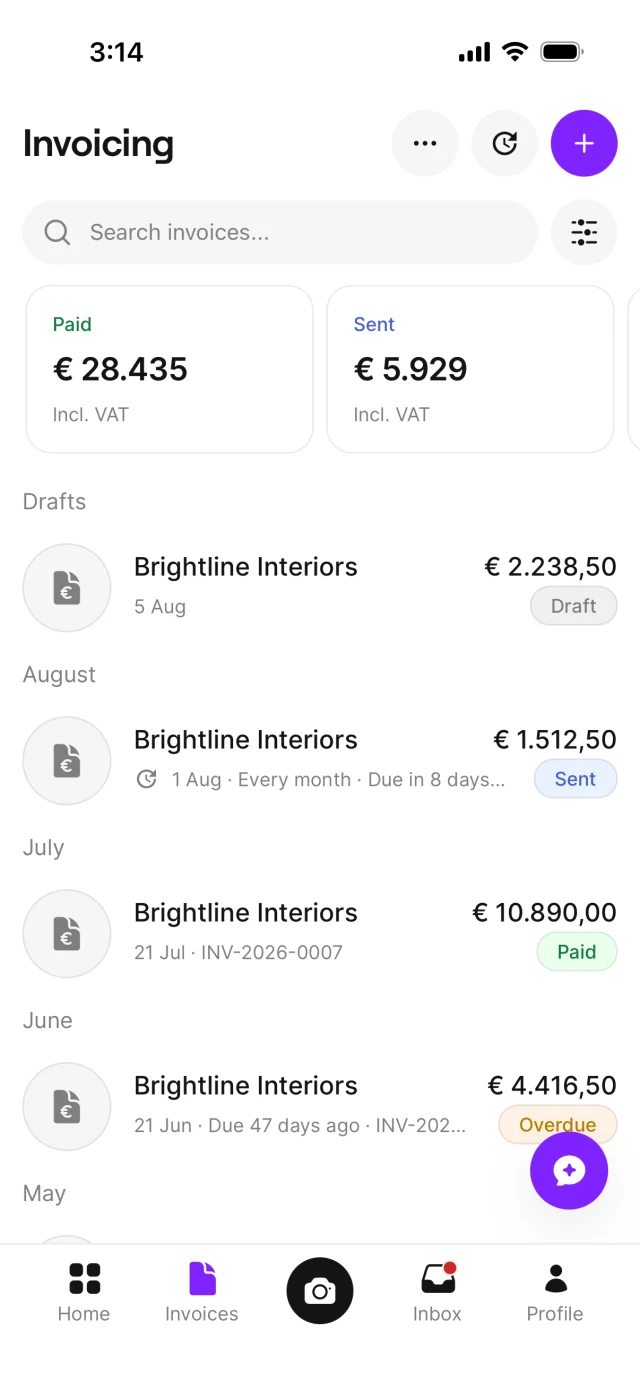
Tap + to create a new invoice. Tap the clock icon to create and manage recurring invoices.
-
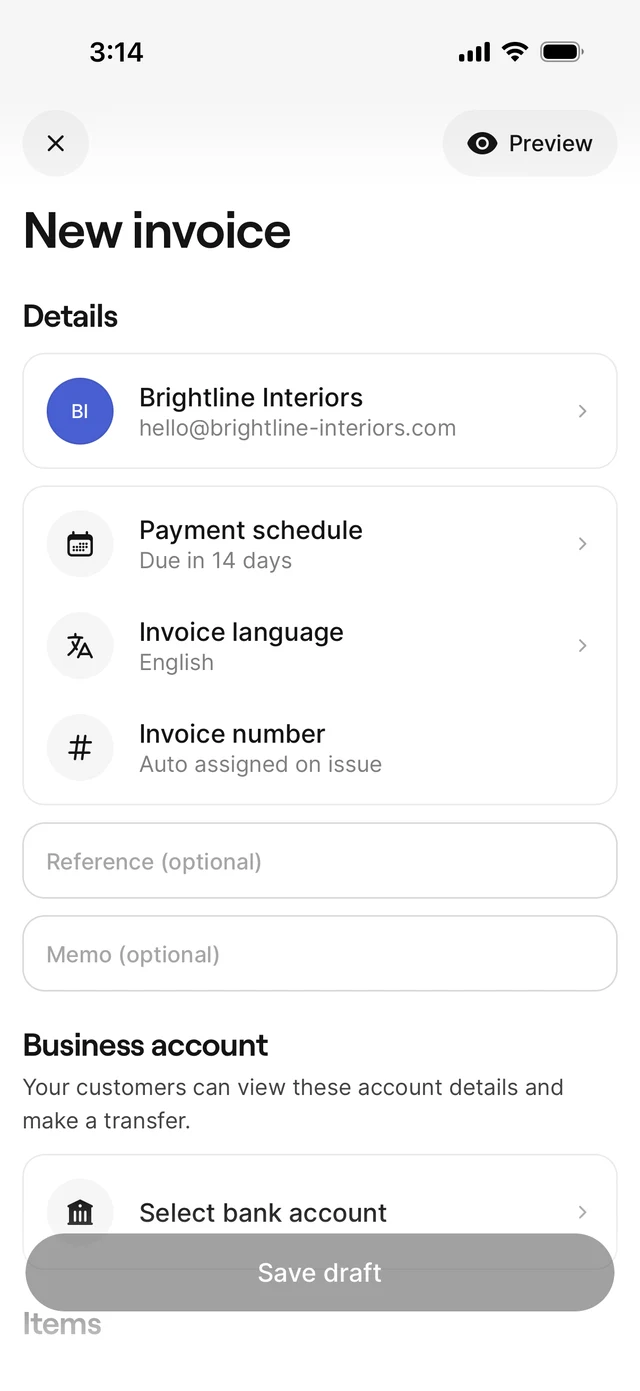 2 Add customer and invoice details
Pick the customer and check the invoice and due dates — the numbering is automatic and configurable.
-
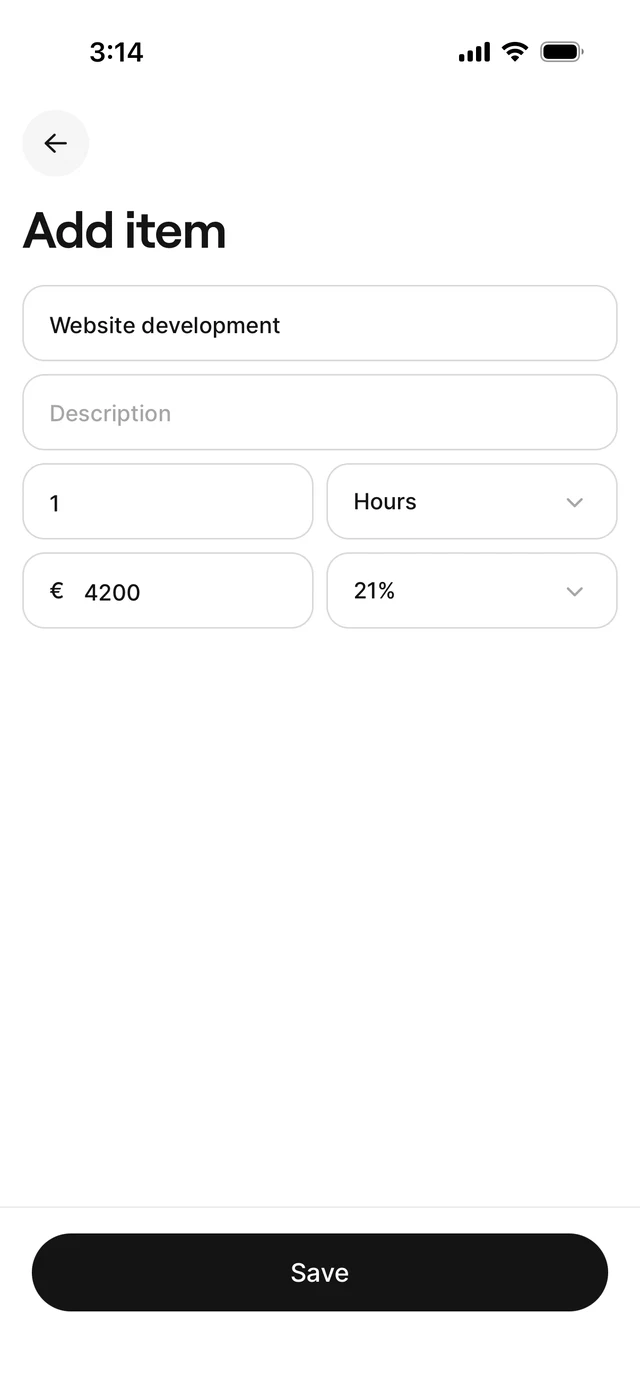 3 Add line items and check totals
Describe what you're charging; subtotal, VAT and total update as you type.
-
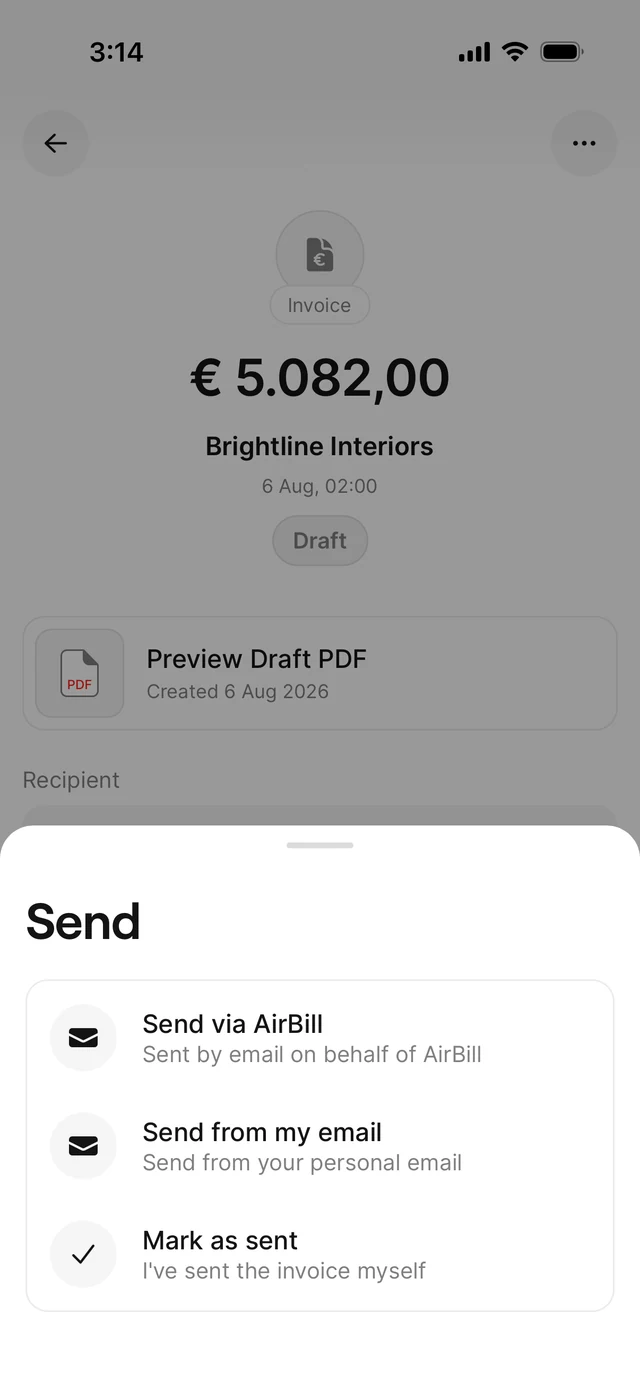 4 Review and send
One last look at the invoice, then send it directly from AirBill.
-
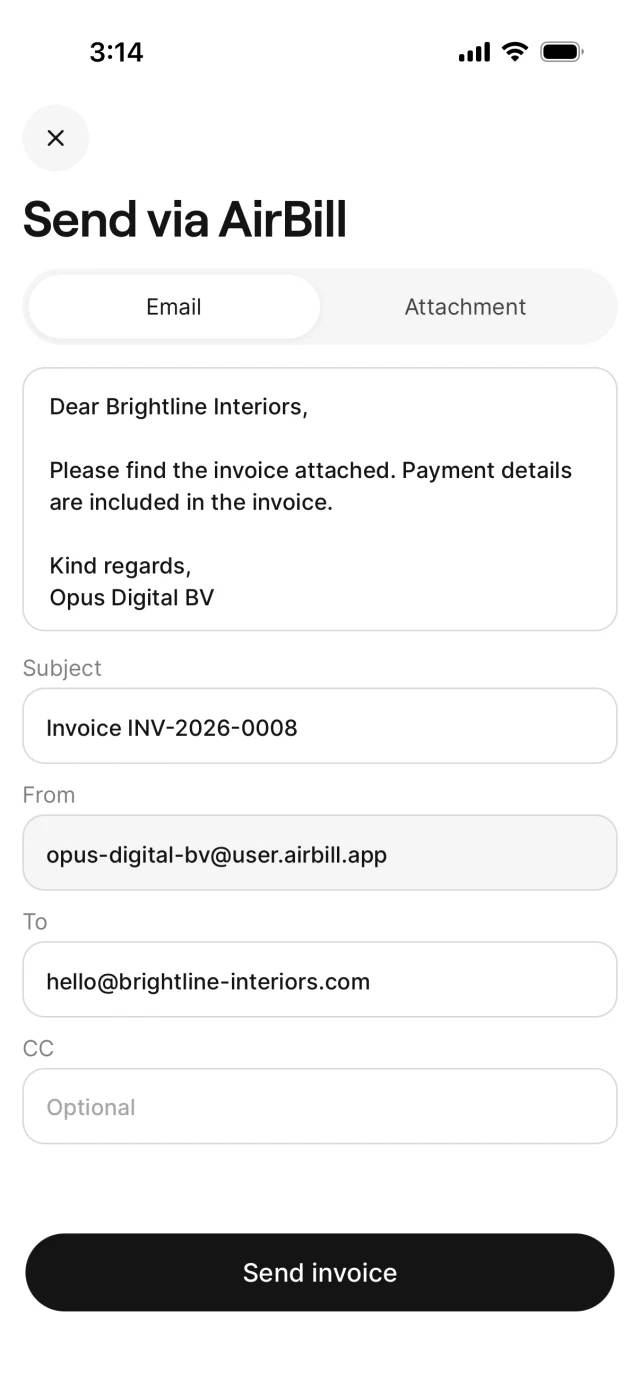 5 Personalise the email
Adjust the message, subject and recipients — AirBill sends the invoice and tracks the payment.
Recurring Invoices
For work you bill regularly, set up a schedule once — AirBill creates and sends the invoices for you.
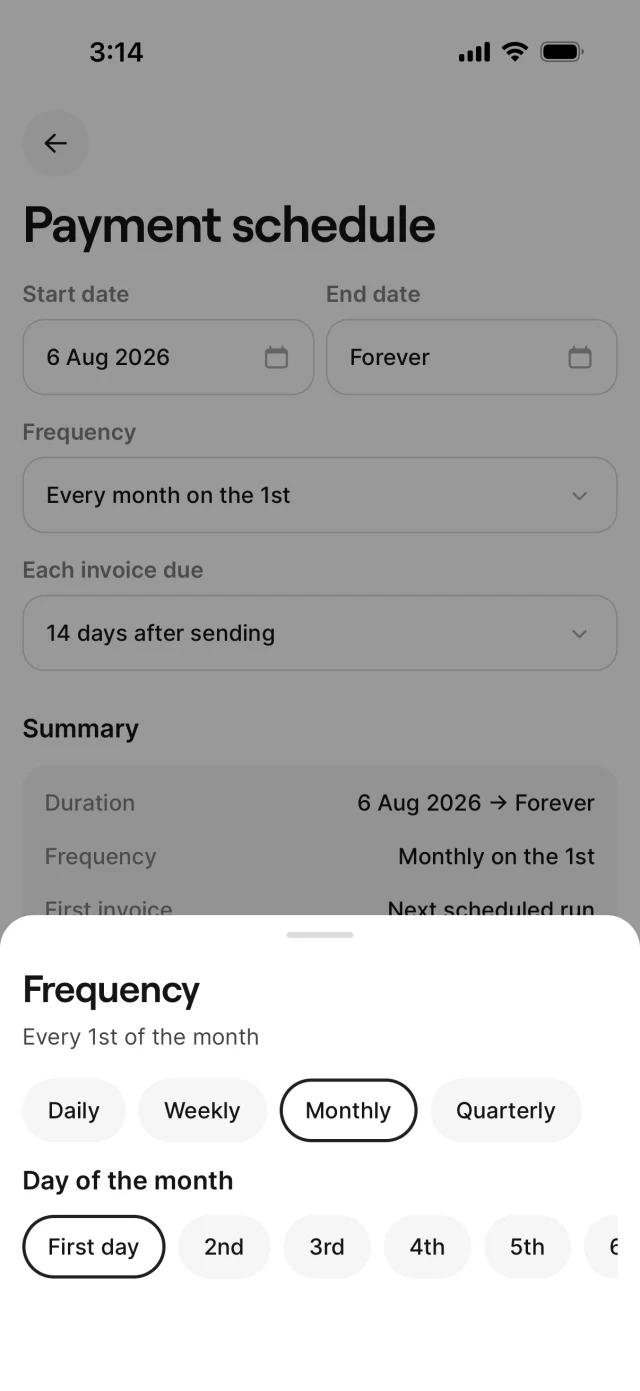
Schedule timing and frequency
Choose when the schedule starts, how long it runs and how often AirBill creates an invoice.
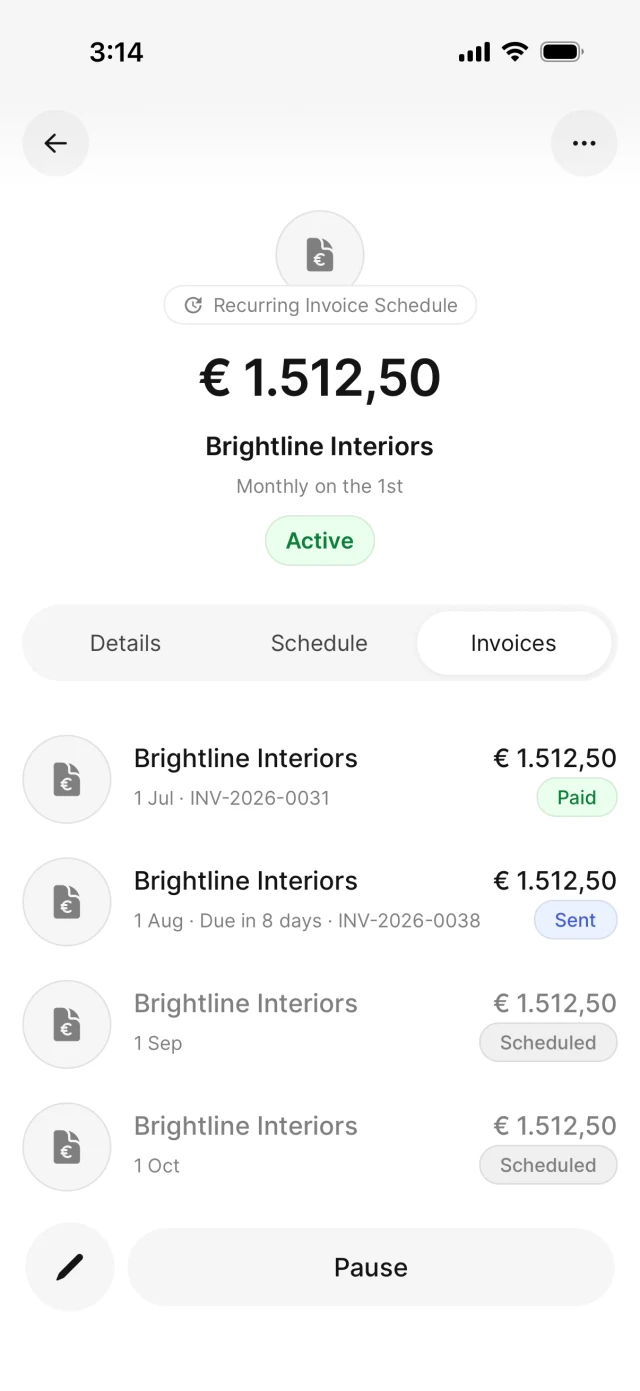
See what was sent — and what's next
Review invoices already sent and see the upcoming invoices AirBill will create automatically.
Resolve questions with your accountant
Frequently asked questions
Nothing for you. Your accountant takes care of the subscription, so you get the full app for free.
Yes. This page is for business owners whose accountant works with AirBill. If you haven't received an invitation, ask your accountant.
The business administration you keep in AirBill: your documents, matched transactions and your conversations together.
No. Connections make AirBill more useful, but you decide what to connect — and you can add or remove sources later.
No. AirBill organises the day-to-day paperwork so your accountant can focus on reviewing and completing your administration.
Yes. You can create, send and track sales invoices directly from the app.
Ready to get started?
Open the invitation from your accountant and complete your AirBill setup in just a few minutes.