- AirBill fetches your transactions; new ones then come in automatically and get matched to your receipts and invoices.
- Your balance and transactions live behind the Bank balance tile on your dashboard.
Connect or reconnect your bank
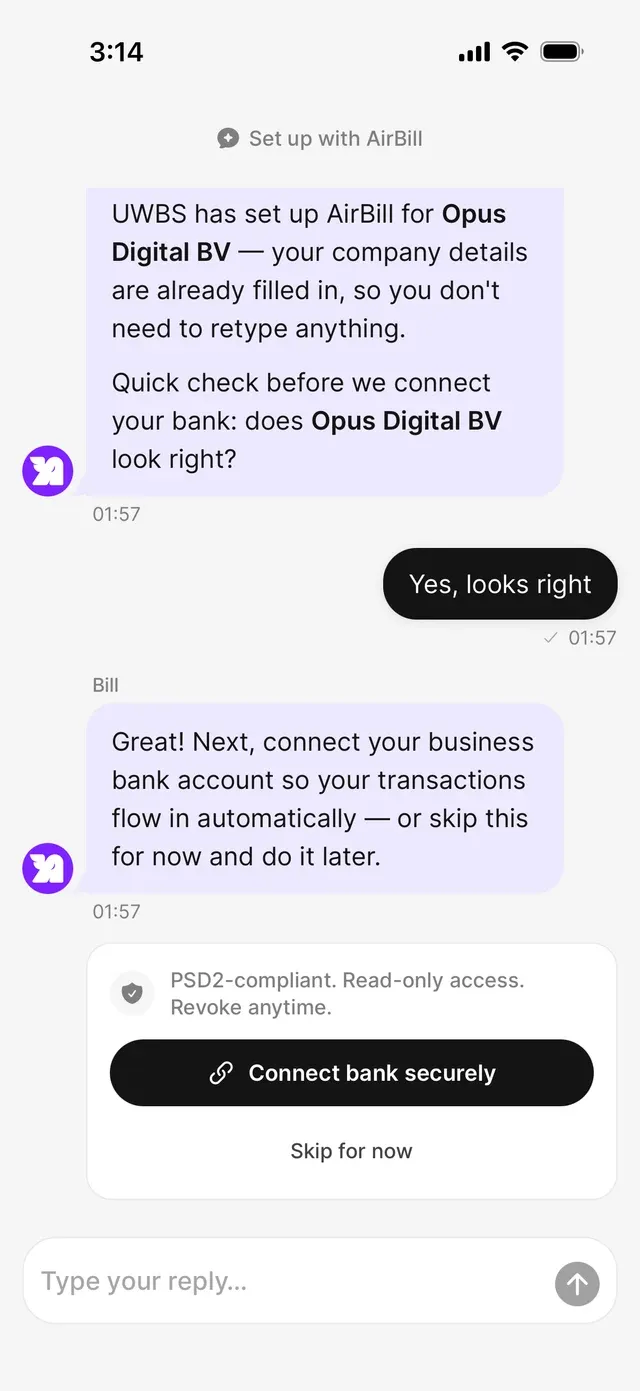
Connect your business bank account so transactions flow in automatically, choose per account what AirBill syncs, and renew an expired connection in a few taps.
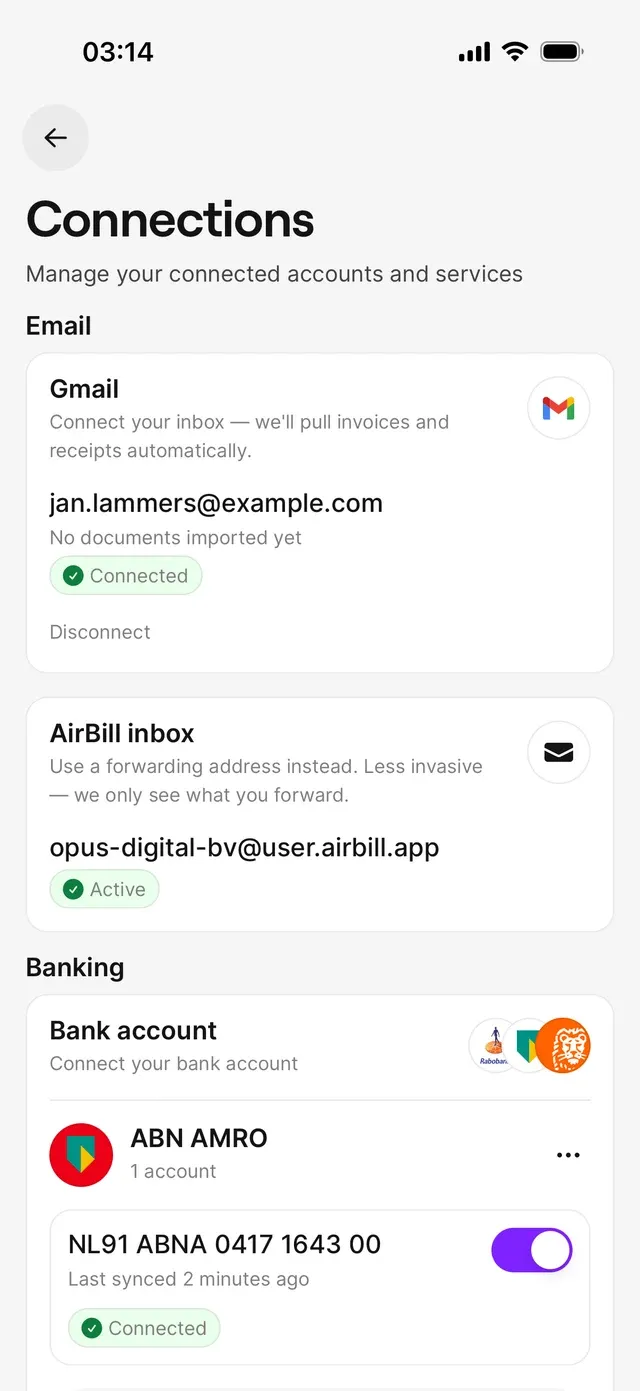
During setup you connect straight from the chat with Bill: tap Connect bank securely. Afterwards it lives under Profile → Connections → Banking: tap Connect for your first bank, or Add bank account for another one.
Pick your bank and sign in with the bank itself. There you consent to sharing your account information with AirBill — read-only, revocable at any time. Some banks briefly open their own app or website; afterwards you return to AirBill automatically. Have your bank login to hand, and expect a confirmation step in your bank’s own app.
If the connection covers several accounts, you choose which ones AirBill may sync. You can change that later per account with the Sync to AirBill switch; switched-off accounts sit under Show inactive.
Reconnecting after an expired consent
Bank consents expire periodically. When you see Connection expired, tap Reconnect bank and run through the consent again. Your accounts and everything already imported stay exactly where they are.
Disconnecting
⋯ next to the bank lets you disconnect. That stops future syncing and archives the connection, so it disappears from this screen. Transactions and bookkeeping records already imported stay in AirBill.
What happens next
Common problems
You don't return to AirBill after signing in with your bank
Complete every step at your bank, including any confirmation in its own app. If it still fails, start the connection again from Connections.
An account is missing in AirBill
Check the Sync to AirBill switch under Show inactive. If the account isn’t listed at all, it may fall outside the consent you gave — reconnect and select it this time.
Related articles
Can't find what you're looking for? Send us a message and we'll help you personally.
Contact support