Deleting removes your membership, but the shared bookkeeping stays with the remaining members. Talk to them, or to your accountant, about what should happen to the records themselves.
Delete your account
What deleting your AirBill account removes, what stays with businesses you share with others, and how to go through with it — it cannot be undone.
Deleting your account permanently removes it and signs you out, and it cannot be undone. If you only want to stop using AirBill on this phone, sign out instead.
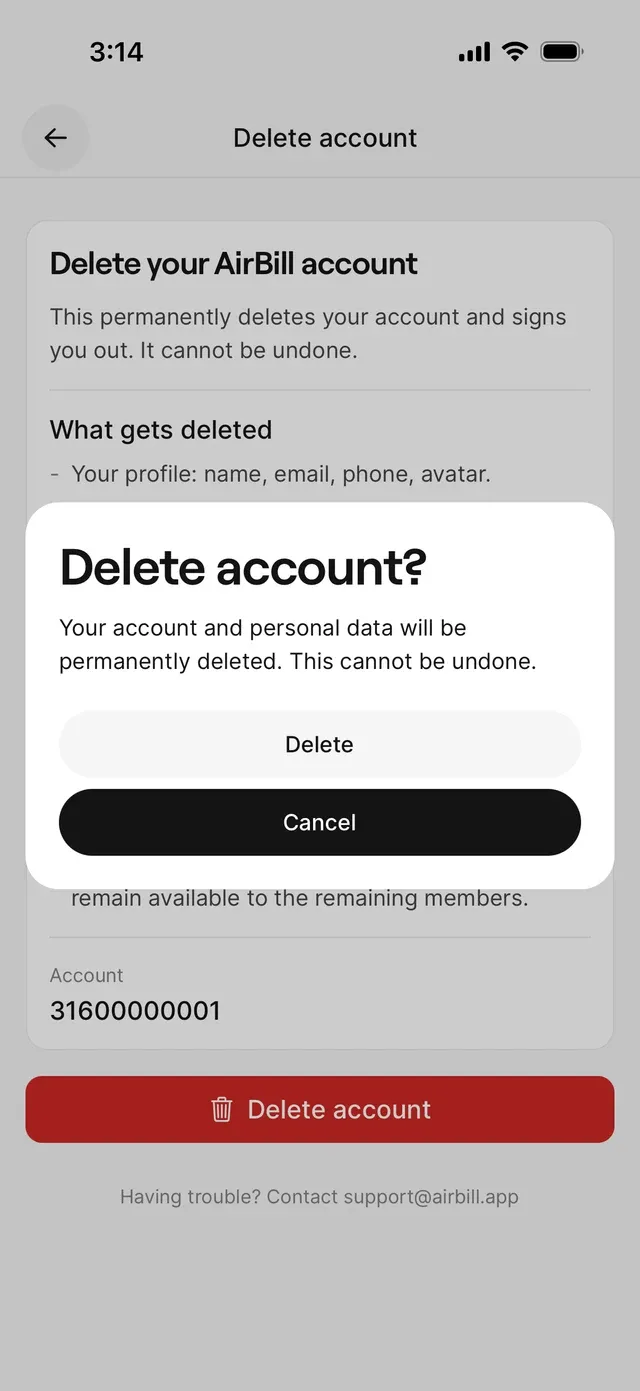
What gets deleted
The screen lists it plainly:
- Your profile — name, email, phone, and avatar.
- Your sign-in — you can no longer log in with this account.
- Your membership in every AirBill business you belong to.
- Any business where you are the only remaining member is shut down.
What stays
Bookkeeping records in businesses you share with other people remain available to the remaining members. Deleting your own account doesn’t erase a shared administration from under your colleagues or your accountant.
How to delete
Go to Profile → Delete account. The screen shows the account you’re signed in as, along with the lists above. Tap the delete action; AirBill asks Delete account? and states that your account and personal data will be permanently deleted and that this cannot be undone. Confirm, and you’re signed out once it completes.
Common problems
You share a business and want your data out of it
You want to keep the business but not the account
Make sure someone else is a member with the access they need before you delete — see Manage team members and roles.
You deleted by mistake
Deletion cannot be undone, and the sign-in that belonged to it no longer works. Contact support to discuss your options.
Related articles
Can't find what you're looking for? Send us a message and we'll help you personally.
Contact support